

Before opening a walkthrough, name the blockage in one sentence. "I cannot open the greenhouse" is useful. "I am stuck" leaves you searching through the whole chapter, where the next image may reveal the answer to a puzzle you have not reached.
Keep that sentence beside the game and work through one level of help at a time. Stop when you have a new action to try. You do not have to read a complete solution simply because you have opened the page that contains it.
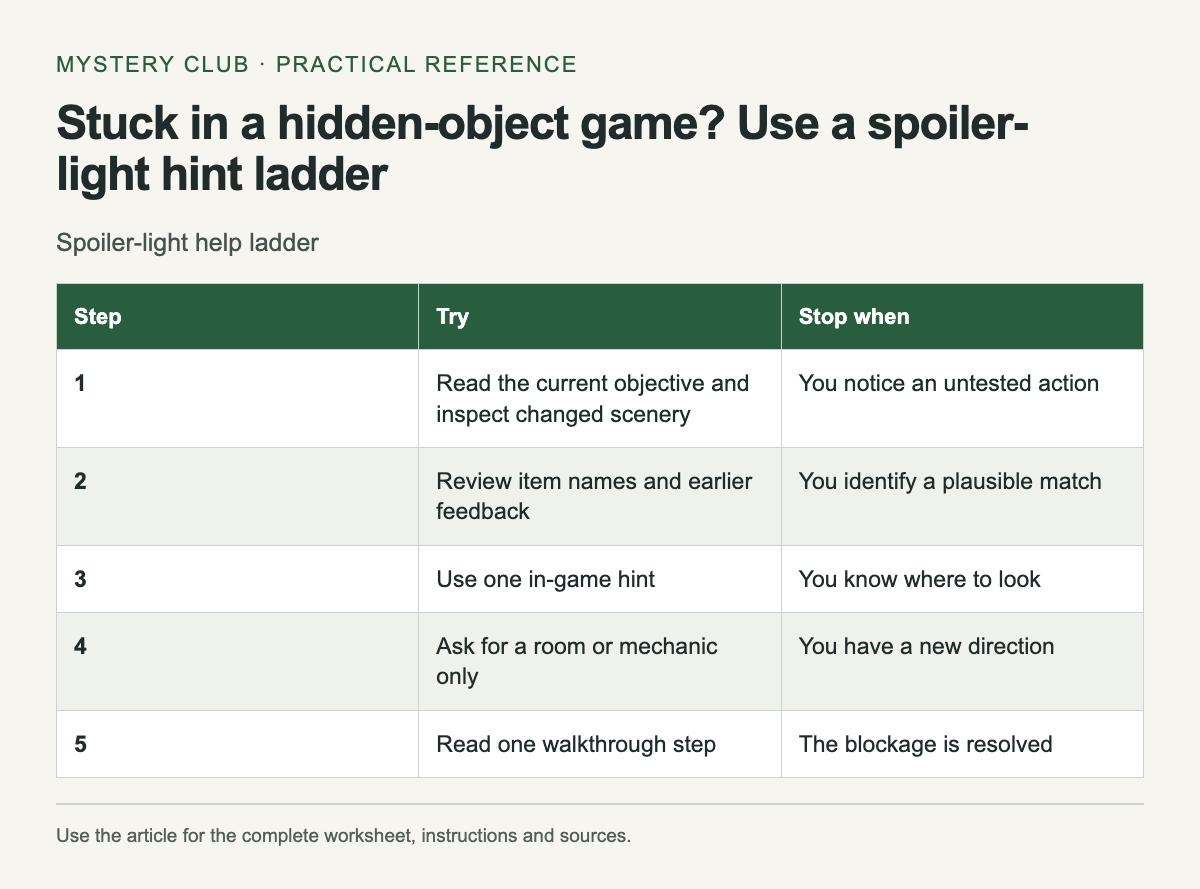
A ladder you can stop climbing
Scroll the table sideways on a narrow screen to see every column.
| Step | Try | Stop when |
|---|---|---|
| 1 | Read the current objective and inspect changed scenery | You notice an untested action |
| 2 | Review item names and earlier feedback | You identify a plausible match |
| 3 | Use one in-game hint | You know where to look |
| 4 | Ask for a room or mechanic only | You have a new direction |
| 5 | Read one walkthrough step | The blockage is resolved |
The order is a suggested method, not a rule built into a particular game. Some games have excellent contextual hints; others point to a room without explaining the unfinished task. If a hint repeats, record it once and change the question you are asking.
Check the scene state first
Look at your objective text and inventory. An item name may change after inspection or combination. Revisit the last action that visibly changed something: an opened drawer, a restored light, a newly reachable shelf. Search that area carefully before assuming the next step lies across the map.
For a search scene, inspect the target wording. A word with several meanings can send you toward the wrong shape. A target shown in a different color may have special rules, but learn those rules from the game's instructions rather than guessing that the convention is universal.
Separate an idea from a failed attempt
Write "tried the brass key on the garden gate; no response" instead of crossing out "brass key" everywhere. The key may belong elsewhere. If the game gave text feedback, copy the relevant phrase. If it gave no feedback, note that too; you may have clicked the wrong hotspot.
When asking another person for help, provide your current objective and inventory, then request one nudge. A useful question is "Which room should I revisit? Please do not name the item." That gives the helper a clear boundary and reduces the chance of receiving the entire sequence.
Search within a walkthrough carefully
Use the exact game title and edition. Then search within the guide for a distinctive object or location you already know. Hide the rest of the window if the layout allows it, and read one paragraph. Screenshots can reveal more than text, especially when they mark every hotspot at once.
Check whether the guide describes the standard game or a bonus chapter. Our edition buying guide explains why edition details deserve a separate check. A chapter mismatch can make a correct walkthrough look impossible to follow.
Know when to stop troubleshooting
If the described action remains unavailable, compare your game state with the guide's prerequisites. You may be missing a previous interaction. If all prerequisites match and the game behaves differently after a reload, consult the publisher's support information before changing files or starting again.
Keep a screenshot and a brief sequence of actions for a support request. Avoid uploading your whole save folder unless support specifically needs it and explains what it contains. A clear description of the blocked step is often the most useful starting point.
Once the problem is solved, record the smallest hint that helped. That note is enough if you return after a break, and it preserves the rest of the chapter for you to discover yourself.
For games with longer inventories and story routes, browse the Fantasy hidden-object adventures.
Comments