
Hidden Through Time asks you to find small objects in illustrated scenes, using clues to narrow the search. This guide covers Rogueside’s original game, released on 12 March 2020. Its campaign spans four ages, and finding enough objects opens the next stage. You can also make maps and play creations shared by other players. Those features are described on the official Steam page.
A useful first goal is to learn how to read one scene. Leave a full completion run for a session when you feel like lingering. The worksheet below helps you keep track of what you have actually checked.
Read the target before searching the scenery
Look closely at the target’s outline, then read its clue. Pick one detail you could recognise among similar objects: an unusual shape, a pattern, or a distinctive piece of clothing. Write that detail in a few words if you keep forgetting it. Colour can help, but a shape gives you another way to recognise the target when the surrounding scene uses similar colours.
Treat a clue as a suggestion about where to look. First check the place that seems to fit its wording. If nothing matches, reread the clue before widening the search. Keeping your interpretation separate from the actual wording makes it easier to abandon a bad guess.
A search worksheet for one Hidden Through Time map
Copy this table onto paper or into a notes app. The entries are suggested search habits, not instructions issued by the game. Work on one remaining target at a time so that each pass has a clear purpose.
| Checkpoint | What to record | Next action |
|---|---|---|
| Target recognised | Its most distinctive visible detail | Compare similar-looking objects against that detail. |
| Clue interpreted | The clue’s wording and your likely location | Search that location before expanding outward. |
| Area checked | Two visible landmarks bounding your search | Move to the adjoining area with a little overlap. |
| Still missing | One assumption that might be wrong | Change that assumption and make a fresh pass. |
| Ready to leave | Map name and remaining target details | Decide whether to continue searching or advance when available. |
Use landmarks to keep your place
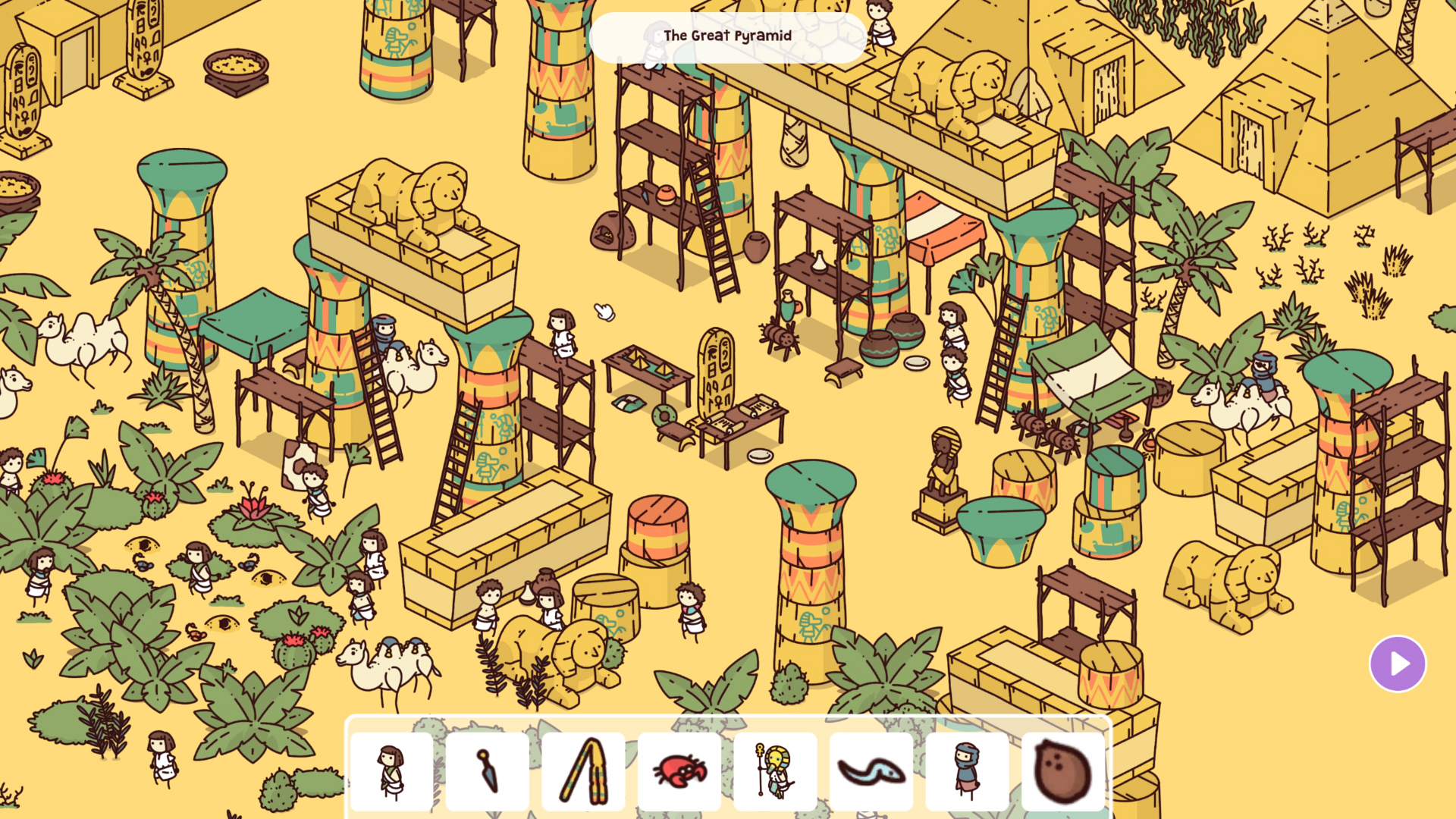
The developer’s official press screenshot of “The Great Pyramid” shows repeated columns, scaffolds and small figures. Those repeated shapes make useful boundaries for a search. You could check the space between one scaffold and the next, then move across to the adjacent group. This is a way to organise your attention; it does not reveal any target locations.
Give adjoining areas a little overlap. Otherwise, an object near a boundary can fall between two supposedly finished sections. After checking an area, describe its edges using landmarks rather than writing “left side done,” which becomes ambiguous when you return later.
If the same target keeps defeating you, stop repeating the same route. Our guide to finding the last hidden object offers ways to change a search that has become repetitive. A short break is also a reasonable choice when you can no longer remember which details you inspected.
Choose a stopping point before the last object
The original game’s progression requirement gives you a choice once the next stage becomes available. You might want a new scene, or you might prefer to finish the current one. Decide which result would make this session satisfying. A completion goal is easier to manage when you choose it deliberately.
Before looking up a solution, decide how much help you want. A broad location clue preserves more searching than a marked screenshot. The spoiler-light hint ladder provides a sequence you can follow without jumping straight to the answer. Check that any walkthrough names the original game and the same map.
Try community maps with a small test
Rogueside’s description of the map editor confirms that players can create, share, play and rate levels. For a first community map, give yourself one simple question: can you identify a target and understand a clue well enough to begin? If a map’s style does not suit you, try another before judging the whole feature.
If you open the editor, start with a small scene and a few targets. Ask another person to try finding them without extra spoken instructions. Note where they misread a clue or confuse two objects, then revise that specific problem. That exercise can also sharpen your own searches: it makes you think about the difference between a useful clue and an assumption only the map’s creator understands.
Comments