

If you want to open a picture and look for things, start by checking what happens between the searches. A game can have beautiful hidden-object scenes and still spend most of its time on conversations, locked doors and inventory puzzles. The store's genre label rarely tells you how much of each activity you will get.
Write down the interruption you want to avoid. Long dialogue is one problem; moving between rooms is another. You might enjoy a small clue attached to each target while having no interest in a detective plot. That distinction makes your shortlist much easier to build.
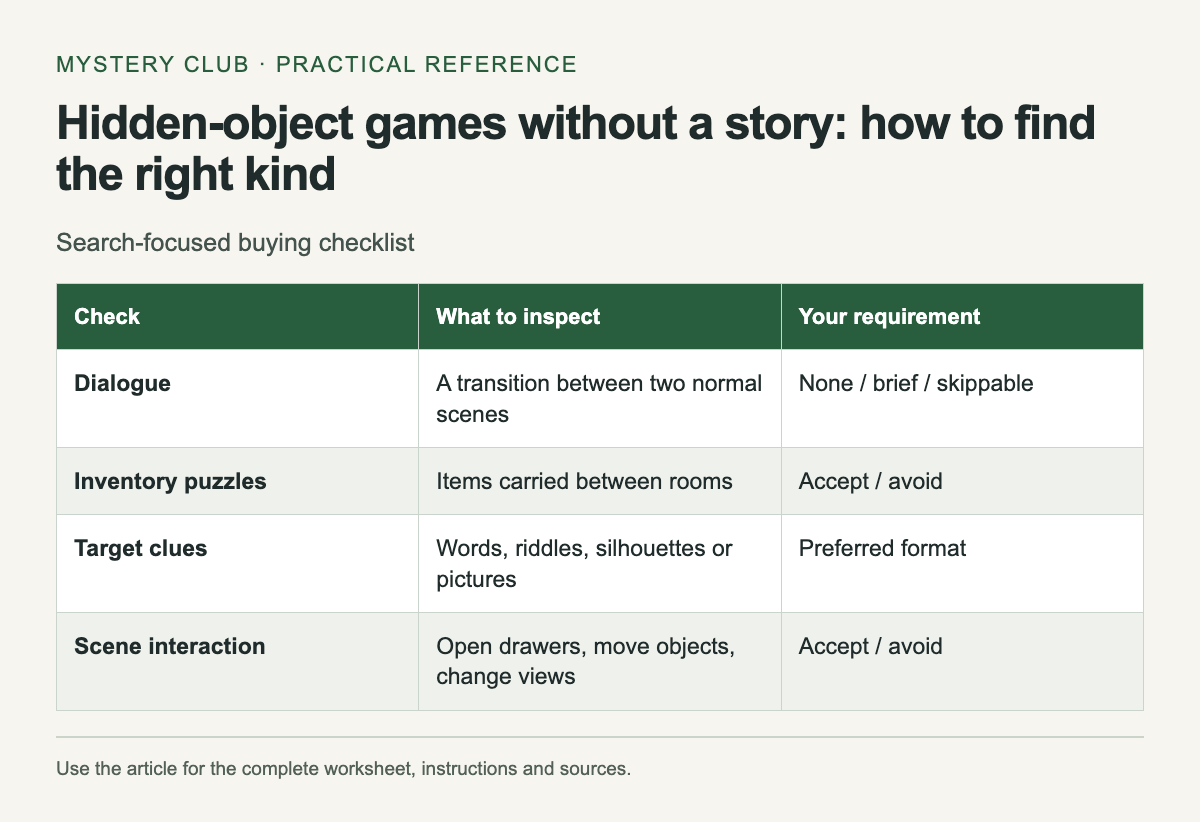
Four questions for a store page
Scroll the table sideways on a narrow screen to see every column.
| Check | What to inspect | Your requirement |
|---|---|---|
| Dialogue | A transition between two normal scenes | None / brief / skippable |
| Inventory puzzles | Items carried between rooms | Accept / avoid |
| Target clues | Words, riddles, silhouettes or pictures | Preferred format |
| Scene interaction | Open drawers, move objects, change views | Accept / avoid |
Treat an unanswered question as unknown. A screenshot containing a list of objects establishes that a search scene exists. It says nothing about the next twenty minutes. A short stretch of ordinary gameplay is more useful here than a trailer edited around discoveries and dramatic scenes.
Hidden Folks is one concrete place to investigate interactive searching. Its developer describes searching hand-drawn landscapes and opening or moving parts of the scene. The official Steam listing also lists three color modes. Those are specific features; they do not establish that every player will find its clues easy or its picture comfortable to read.
Watch an ordinary transition
Look for the moment when a player finishes a location. Does the next scene open immediately? Is there a conversation, a trip across the map or a puzzle first? Repeat that check for a later location if footage is available. An introductory tutorial can make a search-focused game look wordier than it usually is, while a promotional clip can hide most of an adventure's dialogue.
If a demo exists, leave the first scene at your own pace. Notice whether you can skip text without losing information needed for the next task. A skip button is helpful only when skipping suits the way you want to play. Having to dismiss dialogue after every scene may still feel like an interruption.
Keep clues separate from story
Some searching games describe the target through a riddle. If you want almost no reading, inspect the target panel as carefully as the scene. Picture thumbnails, silhouettes and written object names create different tasks. A small icon can be harder to interpret than a short word on your particular screen.
Check the interaction, too. Moving a curtain to reveal an object is different from combining two inventory items in another room. You may like one and dislike the other. Record those preferences separately instead of writing only "no puzzles" beside a game.
Make the shortlist small
Keep three candidates and give each a clear reason to remain: immediate scene selection, little reading, or useful zoom, for example. Remove a candidate when it fails a requirement you care about. Do not compensate for unwanted dialogue with a high review score; that score answers a broader question.
Before buying, check the exact edition and platform you inspected. A mobile version and a desktop release can have different menus or payment arrangements. Save the product link with your notes so you can return to the same listing, then use a demo or the publisher's documentation to resolve any remaining uncertainty.
If you decide you do want a case to follow, compare the Detective hidden-object games.
Comments